AI
Set up your AI receptionist
Point your missed calls at the AI, shape how it greets and books, and keep it sharp.
6 min read
Your AI receptionist answers the calls you can’t get to, qualifies the caller, and books the job onto your calendar. You keep your existing number — the AI sits behind it and picks up on overflow and after hours.
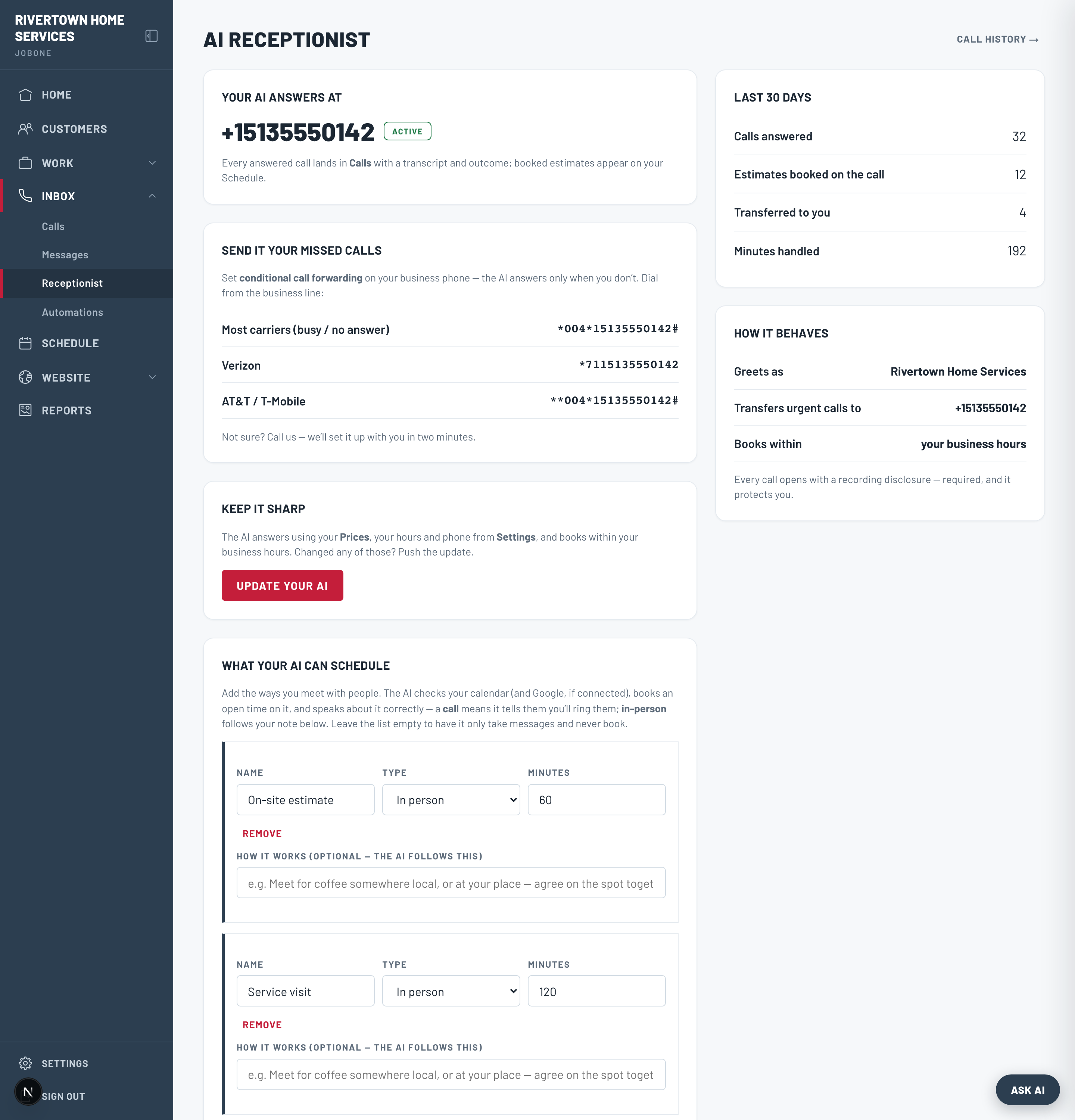
1. Send it your missed calls
The Receptionist page shows your AI number and the exact carrier codes to turn on conditional call-forwarding — so a call you don’t answer in a few rings rolls to the AI instead of voicemail. Dial the code for your carrier once and you’re set.
Conditional forwarding only forwards calls you don’t pick up. Callers who reach you still reach you — nothing changes about your number.
2. Shape how it behaves
Under “How it behaves” you control the essentials: how it greets callers, which number it transfers urgent calls to, and how far out it’s allowed to book.
- Voice & greeting — pick a voice and write the opening line. The recording disclosure is always appended for you.
- House rules — plain-language instructions like “offer a callback from the owner instead of booking a visit.” These take priority over the default flow.
- What it can schedule — define your meeting types (e.g. On-site estimate, 60 min, in person). Leave it empty and the AI will only take messages, never claim to book.
The AI only quotes prices that are in your price book. Add your common services under Work → Prices first, or it will book the visit and leave pricing to you.
3. Keep it sharp
Whenever you change your price book, greeting, rules, or meeting types, click “Update your AI” to push those changes live. The Receptionist page also shows 30-day usage — calls answered, minutes handled, estimates booked, and calls transferred to you.