Basics
Customers, addresses & the client portal
Find and organize customers, verify service addresses, and share a private portal link.
5 min read
Every quote, job, and invoice hangs off a customer. The Customers screen is where you find them, keep them organized, and manage their properties.
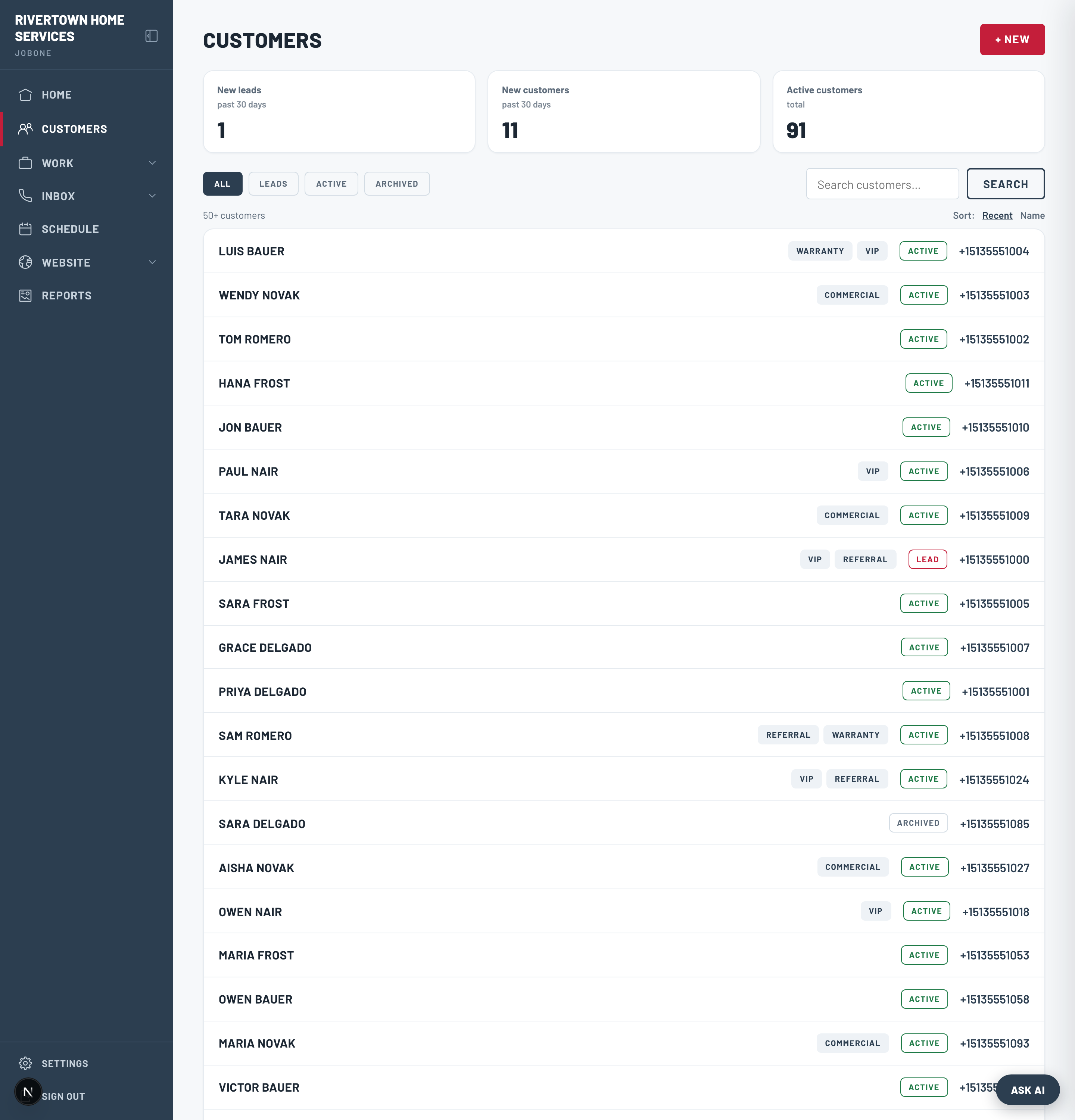
Bringing your customers over
During onboarding we import your customers, properties, and job history from your old software, so you’re not starting from an empty screen. Open Customers and search a name you recognize to confirm everything came across.
Statuses, tags & sorting
- Status — a customer is a Lead until their first quote, job, or invoice, then auto-promotes to Active. Filter by All / Leads / Active / Archived at the top.
- Tags — add tags like VIP, Commercial, or Referral to group and find people fast.
- Sort by most recent or by name, and use the search box for anyone by name or phone.
Addresses
A customer can have several properties (handy for landlords and multi-site clients). When you add an address, JobOne checks it against USPS and shows you the standardized version to confirm — you can always keep exactly what you typed for new construction.
Open a customer and copy their “Customer portal” link — a private, no-login page where they can see their upcoming appointments, quotes, and invoices.