All guides
Scheduling
Recurring & contract work
Set up standing weekly, monthly, or custom contracts that put themselves on the calendar.
5 min read
For standing work — weekly cleans, monthly pest control, quarterly maintenance — a recurring plan generates the individual visits for you, on autopilot.
app.getjobone.com/recurring
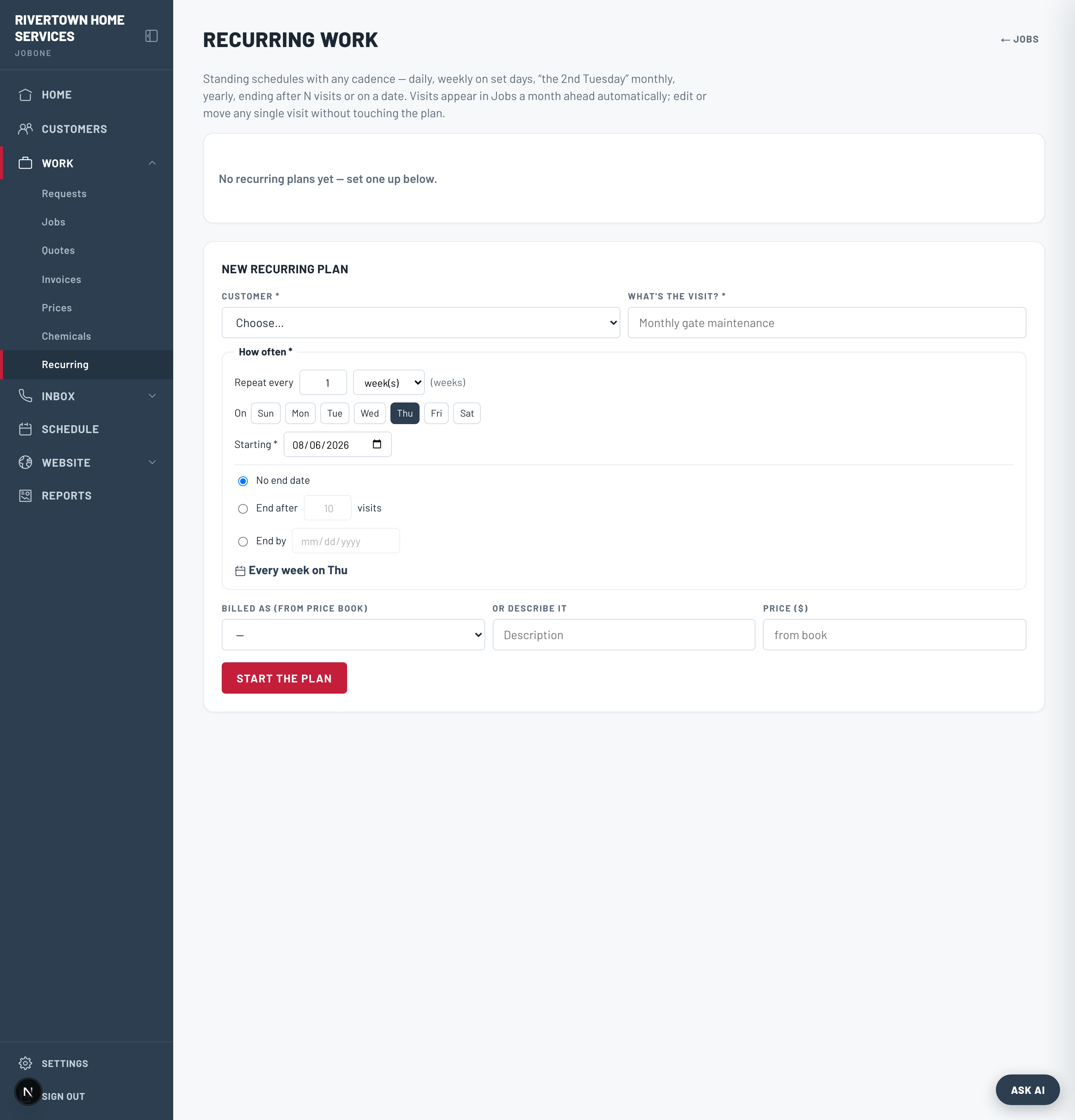
Create a plan
- 1Go to Recurring → New recurring plan and pick the customer.
- 2Add the line items the visit should include (from your price book or freeform).
- 3Set the pattern in the builder — every N days/weeks/months, specific weekdays, “2nd Tuesday,” yearly, and when it ends (never / after N / by date).
- 4Check the plain-language preview (“Every 2 weeks on Tue”) and save.
Note
JobOne materializes visits on a rolling ~30-day horizon, so upcoming visits appear on the calendar automatically — no background app to leave running.
Change without breaking the series
Each visit is a real, editable job. Skip a week for a holiday, move one to Tuesday, or change one price and the series keeps running. You can pause, resume, or end a plan any time from the Recurring page.